Getting Started with Propsly
Set up peer recognition for your team in under 5 minutes. Follow these four simple steps to start celebrating wins.
Install Propsly to Your Workspace
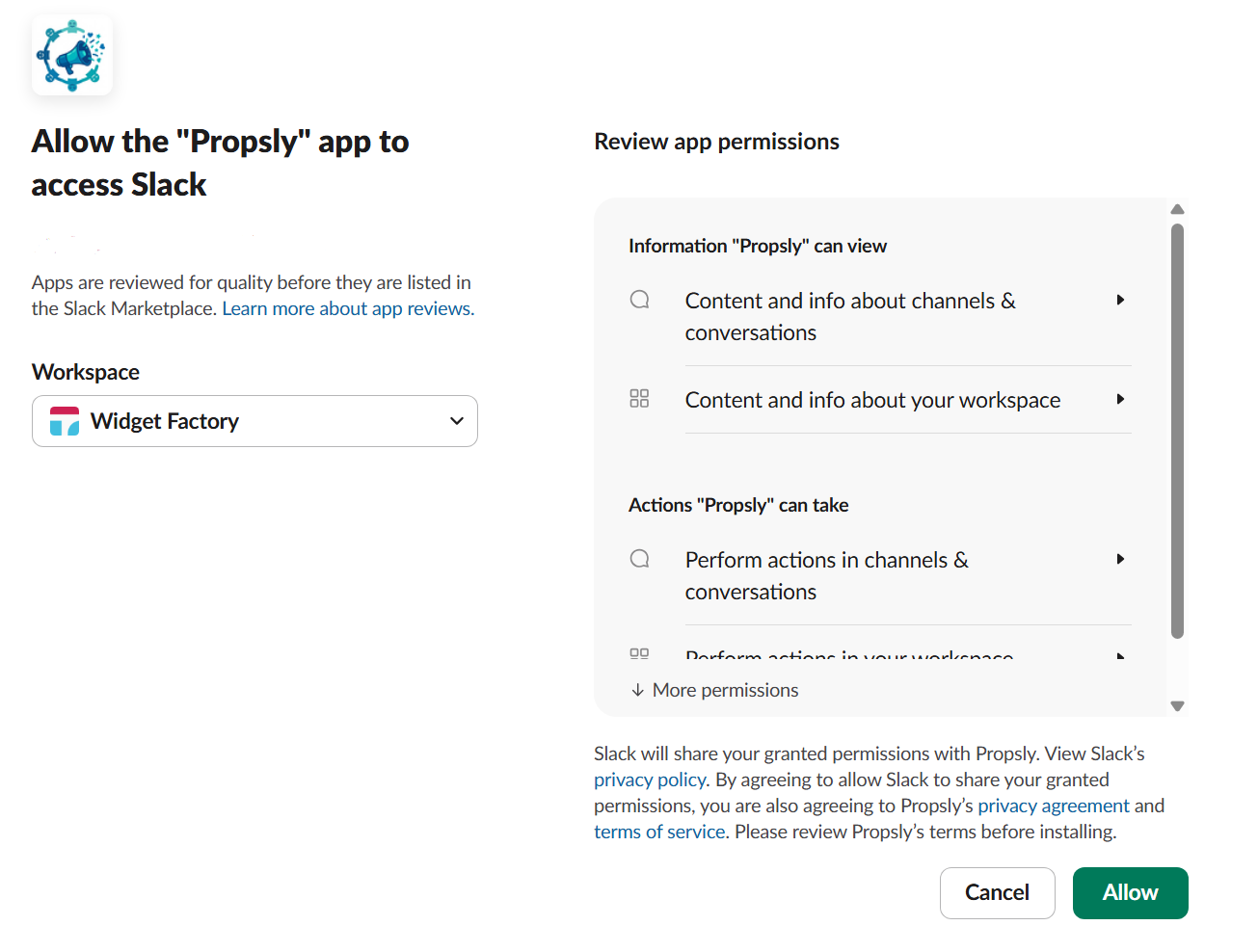
Click the button below to add Propsly to your Slack workspace. You'll need to be a workspace admin or have permission to install apps.
During installation, Propsly will request permission to:
- Access your workspace's user list (to enable @mentions)
- Post messages in channels you choose
- Send direct messages for notifications
 Add to Slack
Set Your Feed Channel
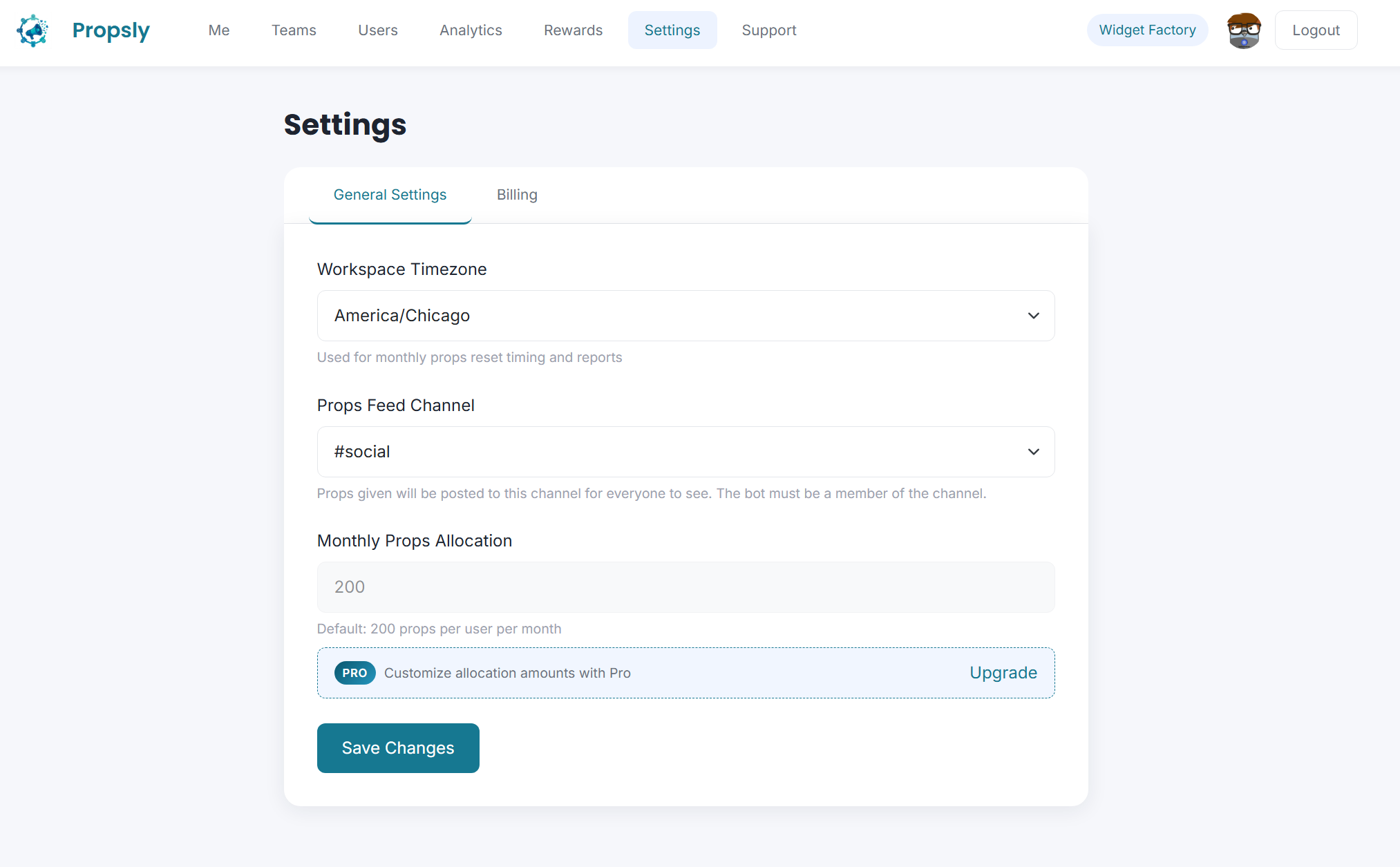
Choose a channel where props will be publicly shared. This creates transparency and lets everyone celebrate wins together.
To configure your feed channel:
- Log in to your Propsly dashboard
- Go to Settings
- Select your preferred channel from the "Feed Channel" dropdown
- Save your changes
We recommend creating a dedicated #props or #shoutouts channel. This keeps recognition visible without cluttering your main channels.
Give Your First Props
Use the /give command in any Slack channel to recognize a teammate. Here's the format:
/give +10 @sarah Great job on the presentation! #teamwork
Breaking it down:
/props- The command to give props+10- The number of points (1-100)@sarah- The person you're recognizing (can mention multiple people)Great job...- Your message (optional but encouraged)#teamwork- A hashtag to categorize the props (required)

Everyone starts with 200 props points each month. Points reset on the 1st, so use them or lose them! This scarcity makes each recognition more meaningful.
View the Leaderboard
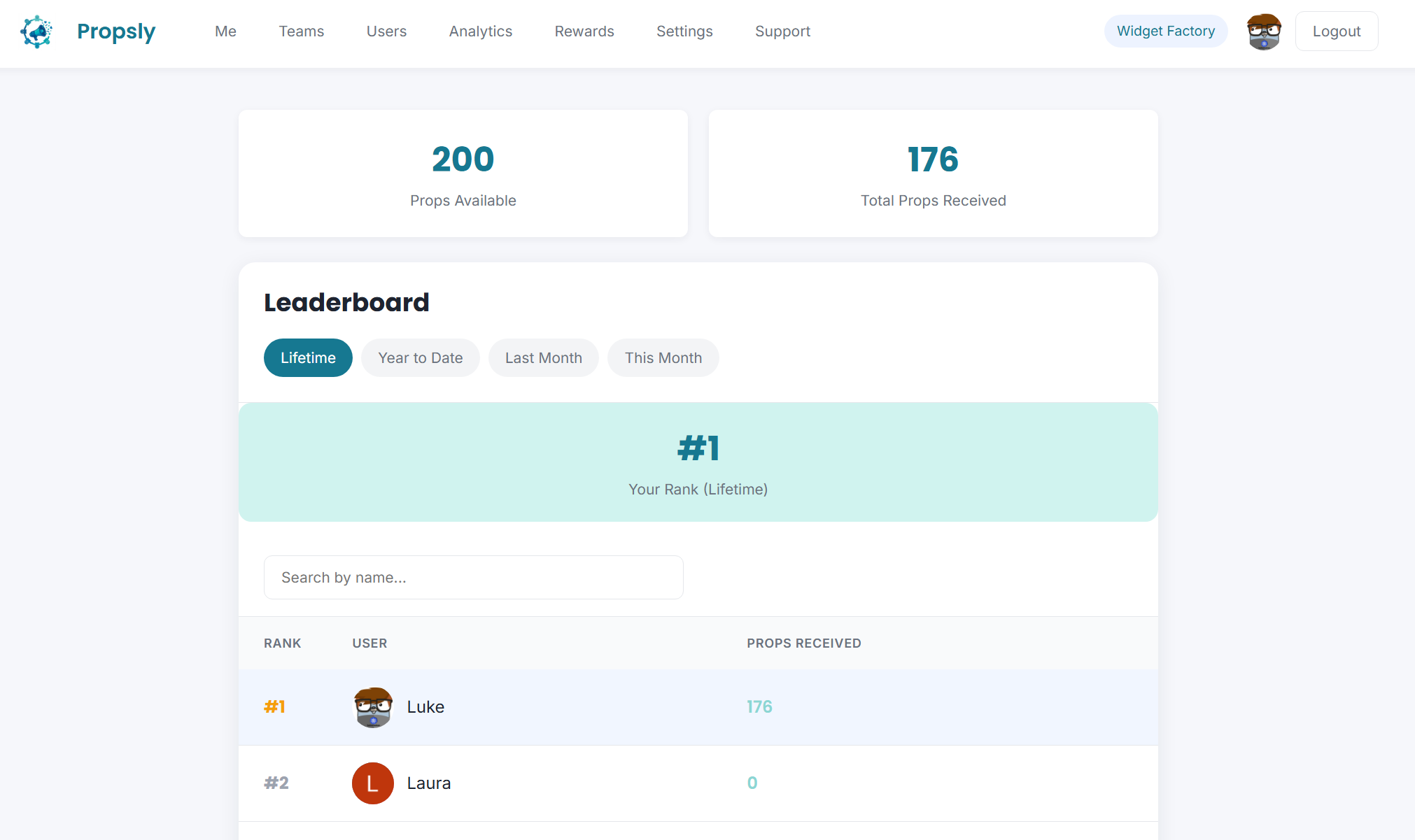
See who's making an impact! The leaderboard shows top props recipients and givers in your workspace.
Access the leaderboard by:
- Logging in to your Propsly dashboard
- Clicking "Propsly" in the navigation
The leaderboard updates in real-time and can be filtered by time period (week, month, all-time).
Pro users get access to advanced analytics including recognition patterns, team engagement metrics, and insights into your recognition culture.
Ready to get started?
Add Propsly to your Slack workspace and start celebrating your team's wins today.
Add Propsly to Slack